

The Digital Strain of Today’s Life
Technology has changed the way we live. We spend hours of our day watching television or looking at our smartphones. For those who work on a computer, daily screen time could skyrocket to over half of their waking hours. While computers have made our lives easier, they have become a challenge for our eyes and our bodies.
You may notice how tired you feel after spending all day sitting in front of a computer screen. Even with the best office chair and proper sitting position, you still end your day feeling sore, exhausted, and experience trouble focusing. This is likely due to digital eye strain, or computer vision syndrome.
Visit us at Pinehouse Eyecare in Saskatoon to discuss solutions to digital eye strain so you can reduce discomfort in your daily life.
What Is Computer Vision Syndrome?
Our eyes were designed to change focus between distance and near. When they’re locked onto a screen just a few feet away, it challenges the muscles to hold their position for long periods of time.
It would be like trying to hold your arms above your head for hours on end. At first, it seems like it’s an easy task, but before long you’ll feel those muscles shake and you might even break into a sweat. Your eyes face the same struggles each day spent in front of a computer. This fatigue and the accompanying symptoms are referred to as computer vision syndrome or digital eye strain.

Symptoms of Digital Eye Strain
Digital eye strain, or computer vision syndrome, creates a host of problems beyond sore eyes. With extended periods of time spent in front of screens, you may experience one or more of these symptoms:
- Light sensitivity
- Burning or itching
- Double vision
- Blurry vision
- Fatigue
- Headache
- Neck or back pain
- Dry eyes
- Watery eyes
- Trouble concentrating
Digital eye strain care can help to mitigate these symptoms, reducing your discomfort and distractions while at work or involved in screen-based activities.
Digital Screens and Kids’ Vision
Just as digital devices are becoming more prominent in our lives, they’re becoming increasingly common in children’s lives. From leisure activities to schoolwork and educational apps, kids are spending more time in front of screens than ever before.
To help your children avoid eye strain, try to encourage regular breaks every 20 minutes. Set up screen distance settings on any devices your child uses regularly to prevent your child from holding screens too close to their face. Avoid screens for children under the age of 2 and limit screen time for toddlers and preschoolers to less than 1 hour per day.
Additionally, screen time is linked to the development of myopia in children and teenagers. Reducing time in front of screens, setting screen distance warnings, and encouraging breaks from focusing on devices can help reduce both digital eye strain and the development of myopia in kids.
Strategies and Tools to Mitigate Eye Strain
Eye strain can cause whole-body discomfort and distract you from important tasks. By taking regular breaks, improving workplace ergonomics and posture, and wearing appropriate eyewear, you can find effective relief.
In addition to digital-specific eyewear, it is important to make sure your glasses or contact lenses have an up-to-date prescription. Wearing corrective lenses with an outdated prescription can cause your eyes to work harder, increasing strain. If it has been more than 2 years since your last eye exam or you’re experiencing an increase in eye strain or other vision changes, book an appointment with us.
Getting up from your desk every 20 minutes has been shown to reduce fatigue and strain on your neck and back. The same method can be employed for your eyes. Every 20 minutes, look at something 20 feet away for 20 seconds. It’s the 20-20-20 rule for stretching out the muscles in your eyes.
You’ll notice fewer digital eye strain symptoms and find that you can work comfortably for longer. Couple this eye stretch with a walk around the office to give your whole body a chance to reset.
Digital eyewear, such as computer glasses, anti-fatigue lenses, anti-glare coatings, and blue light filters, can help to reduce eye strain and relax your eyes while working on digital devices. The right eyewear for you depends on your prescription, symptoms, and daily activities. Our optometrists and opticians can help you find the right fit.
Proper office ergonomics can help reduce eye strain and tension in your neck, shoulders, and back. Keep your computer around an arm’s length away, with the top of the screen at or just below eye level. Your keyboard should be set close enough that your arms can rest at a comfortable, 90º angle to prevent reaching.
Find Effective Solutions for Computer Vision at Pinehouse Eyecare
Digital eye strain is uncomfortable, and you don’t need to live with it. We can help determine the cause of your eye strain and treat this underlying cause to improve daily comfort.
Whether you need to adjust your workspace, care for dry eyes, or update your eyewear for digital device use, we have solutions available to you.
If screen use is part of your daily life, your eye care should support that reality, not fight against it. Book your appointment today and get back to more comfortable, focused vision.
Frequently Asked Questions About Digital Eye Strain
Digital eye strain occurs when your eyes focus continuously on screens for extended periods without sufficient breaks. Factors such as screen glare, improper viewing distance, poor lighting, and uncorrected vision issues make your eye muscles work much harder than usual.
Symptoms typically improve within a few hours after you step away from screens and rest your eyes. However, discomfort will routinely recur if screen habits remain unchanged or if an underlying visual issue goes uncorrected.
You can reduce strain by using the 20-20-20 rule, adjusting room lighting, and setting screens at an optimal viewing distance. If you are experiencing persistent strain, book a consultation at our Saskatoon clinic to discover which solutions, such as anti-fatigue glasses, digital lenses, or treating underlying dry eye, are right for you.
Children often express eye strain by rubbing their eyes, squinting, complaining of frequent headaches, or losing interest in near tasks. You may also notice them holding devices very close to their face or having red, irritated eyes after prolonged device use.
Digital lenses and anti-fatigue glasses feature specialized prescription zones and protective coatings designed to reduce glare and lessen focusing effort on screens. Schedule an evaluation with our optometry team to see which lens technology or workspace mitigation strategy is best suited for your daily screen routines.
Yes, reduced blinking during device use accelerates tear evaporation, which significantly worsens dry eye symptoms and overall eye fatigue. If you experience daily screen discomfort, book a consultation at our clinic so we can evaluate your tear health, address underlying dry eye, and create a tailored plan for lasting relief.

Visit Our Location
We’re located on the corner of Pinehouse Drive and Primrose Drive. Find us just across the street from Umea Vast Park. Free parking is available in front of the clinic.
Our Address
Contact Information
- Phone: 306-242-4186
- Fax: 306-242-5586
- Email: pecadmin@yxevision.ca
After Hours Emergencies: 306-371-9911
Hours of Operation
Take a Glance
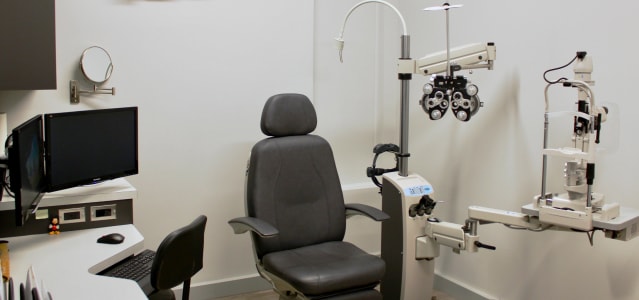
Inside Pinehouse Eyecare




See What Our Patients Are Saying
